
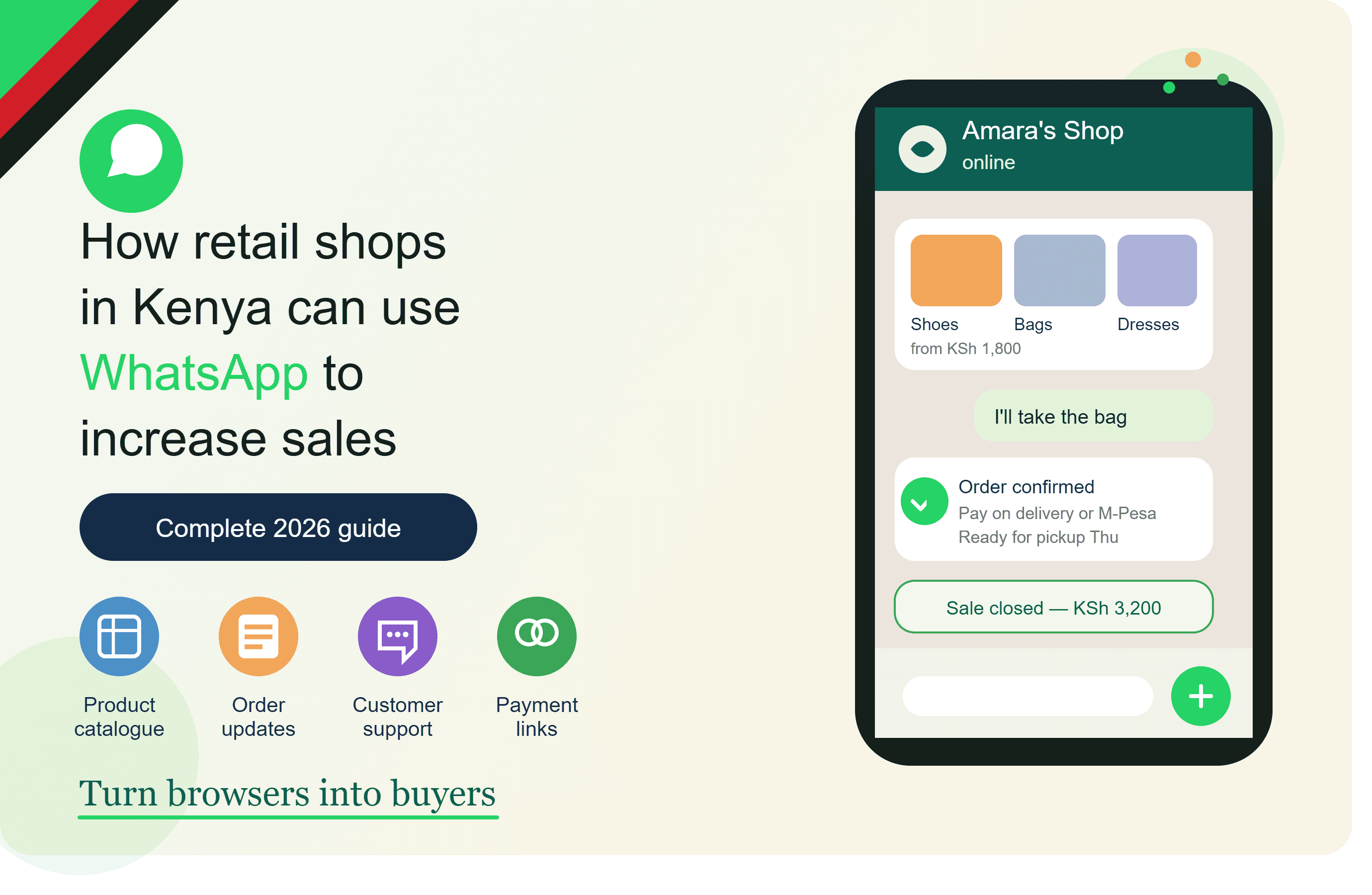
How Retail Shops in Kenya Can Use WhatsApp to Increase Sales
Walk into almost any retail shop in Kenya and you will find one thing that is always happening:
Customers are asking questions.
"How much is this?"
"Do you have another colour?"
"Do you have size 42?"
"Can you deliver?"
"Can I pay by M-Pesa?"
"Do you have this model?"
"Please send me a photo."
For many retailers, these conversations happen every day through phone calls, WhatsApp messages and social media.
The opportunity is to turn those conversations into a more organised sales process.
Instead of using WhatsApp only to answer customers, a retail business can use it to:
- Display products
- Generate enquiries
- Share catalogues
- Receive orders
- Confirm payments
- Organise deliveries
- Follow up with customers
- Promote new stock
- Recover lost sales
- Encourage repeat purchases
This is where WhatsApp commerce becomes useful for Kenyan retailers.
Why WhatsApp Matters to Retail Shops in Kenya
A customer does not always want to visit your shop just to ask whether something is available.
For example, someone looking for a television may want to know:
"Do you have a 55-inch Samsung TV?"
They can ask through WhatsApp.
A customer looking for shoes may ask:
"Do you have size 43?"
Someone looking for building materials may ask:
"How much is a 50kg bag of cement?"
A parent may ask a supermarket:
"Can you deliver groceries to my home?"
These are not just messages.
They are potential sales opportunities.
The retailer who responds quickly, gives accurate information and makes it easy to complete the purchase has a better organised sales process.
What Can a Retail Shop Sell Through WhatsApp?
Almost any retail product that can be explained, displayed and delivered or collected can potentially be marketed through WhatsApp.
Examples include:
- Phones
- Electronics
- Clothes
- Shoes
- Furniture
- Beauty products
- Groceries
- Hardware
- Auto spare parts
- Home appliances
- Accessories
- Stationery
- Gifts
- Building materials
The exact process will depend on the product.
A KSh 500 beauty product may have a very simple sales process.
A KSh 150,000 television may require more questions before purchase.
The principle remains the same:
Product → Conversation → Order → Payment → Fulfilment
1. Create a WhatsApp Business Profile
Start with a professional business profile.
Include:
- Business name
- Logo
- Description
- Location
- Opening hours
- Contact information
- Website, if available
- Product catalogue
Your description should immediately explain what you sell.
For example:
Kitengela Home Electronics
TVs, phones, home appliances and accessories. Genuine products with delivery available in Nairobi, Kajiado and selected areas.
A customer should understand your business within a few seconds.
2. Create a Product Catalogue
A retailer with 100 products should not have to send product photos one by one every time a customer asks.
Create a proper catalogue.
Each product should include:
- Product name
- Price
- Photograph
- Description
- Size
- Colour
- Model
- Available options
- Stock information where appropriate
For example:
Samsung 55" Smart TV
Price: KSh XX,XXX
Screen: 55 inch
Type: Smart TV
Warranty: Available
Delivery: Available
Order: Contact us on WhatsApp
This allows customers to understand the product before starting a conversation.
3. Organise Products Into Categories
A large catalogue can quickly become difficult to navigate.
Use categories.
For an electronics shop:
- TVs
- Phones
- Fridges
- Washing Machines
- Speakers
- Accessories
For a clothing shop:
- Dresses
- Trousers
- Shirts
- Jackets
- Shoes
- Accessories
For a hardware shop:
- Cement
- Plumbing
- Electrical
- Roofing
- Paint
- Tools
The easier it is for customers to find products, the easier it becomes to generate enquiries.
4. Use WhatsApp to Generate Enquiries
Don't wait for customers to find your WhatsApp number.
Put your WhatsApp contact where customers can see it.
For example:
Need today's price? Chat with us on WhatsApp.
See something you like? Order through WhatsApp.
TikTok
WhatsApp us for availability and delivery.
Website
Have a question? Chat with our team.
Shop poster
Scan to Order on WhatsApp.
This creates multiple paths into your sales process.
5. Turn Social Media Followers Into Customers
Many retailers have social media followers but struggle to convert them into buyers.
The problem is often not lack of interest.
It is lack of a clear next step.
Instead of posting:
New stock available.
Try:
New stock available!
Samsung 55" Smart TV.
Want today's price and delivery options?
Chat with us on WhatsApp.
Now the customer knows exactly what to do.
6. Answer Product Questions Faster
Retail customers often ask the same questions repeatedly.
For example:
- Price?
- Available?
- Size?
- Colour?
- Location?
- Delivery?
- Payment options?
- Warranty?
- Opening hours?
Create standard answers for common questions.
This can save your team considerable time.
You can also use automation for basic enquiries while keeping human support available for more complicated questions.
7. Use M-Pesa to Complete the Sale
For Kenyan retailers, payment is a major part of the customer journey.
After confirming the product and delivery details, provide clear payment instructions.
For example:
Order Total: KSh 5,800
Product: KSh 5,500
Delivery: KSh 300
Payment: M-Pesa
Once payment has been verified, the order can move to processing.
For larger businesses, payment and order workflows can be integrated into a more structured system.
8. Give Every Order a Reference Number
Once you start receiving many WhatsApp orders, conversations can become difficult to track.
Give each order a reference.
For example:
Order #RET-1025
Then record:
- Customer
- Product
- Quantity
- Price
- Delivery location
- Payment status
- Order status
This becomes particularly important when several employees are handling customers.
9. Keep Customers Updated
Don't leave the customer wondering what happened after payment.
Send updates.
Order confirmed
Your order #RET-1025 has been confirmed.
Processing
Your order is being prepared.
Dispatched
Your order has been handed over to our delivery team.
Out for delivery
Your order is on the way.
Delivered
Your order has been delivered. Thank you for shopping with us.
These messages create confidence.
10. Use WhatsApp for New Stock Announcements
Retailers regularly receive new stock.
WhatsApp can be used to tell existing customers about products that are relevant to them.
For example:
New Stock Alert 🔥
New Samsung phones have arrived.
128GB and 256GB options available.
Reply PHONE if you would like the catalogue.
Or:
New Arrivals 👗
We have received new ladies' dresses.
Sizes 8–16 available.
Reply DRESS to see the collection.
Keep promotional messages relevant and follow applicable WhatsApp messaging requirements.
11. Use WhatsApp to Promote Special Offers
Retail businesses frequently run promotions.
Examples:
- Weekend offers
- Clearance sales
- Back-to-school offers
- Christmas promotions
- Black Friday
- End-of-month offers
- New stock discounts
For example:
Weekend Offer
Selected shoes now available at special prices.
Limited stock available.
Reply SHOES for the current catalogue.
The important thing is to make the offer clear.
12. Recover Customers Who Did Not Complete an Order
A customer may ask about a product and disappear.
Don't automatically consider that conversation a lost customer.
After an appropriate period, you can follow up.
For example:
Hi Brian 👋
You were asking about the 55-inch TV earlier.
Would you like us to send you the latest price and delivery options?
This gives the customer an opportunity to continue.
13. Notify Customers When Products Return to Stock
Suppose a customer wants a particular shoe size but you don't have it.
Record the customer's interest.
When the product returns:
Hi Jane 👋
Good news. The size 40 shoes you asked about are back in stock.
Would you like us to reserve a pair for you?
This can turn an old enquiry into a new sale.
14. Use WhatsApp for Customer Follow-Up
The relationship shouldn't end when the customer receives the product.
You can follow up.
For example:
Hi Peter. We hope you received your order safely.
Thank you for shopping with us.
If you need any assistance, please let us know.
For products that require repeat purchases, follow-up can also lead to another sale.
15. Encourage Repeat Purchases
Some retail products naturally have a repeat buying cycle.
Examples include:
- Groceries
- Beauty products
- Hair products
- Cleaning products
- Pet products
- Office supplies
- Food products
If a customer regularly buys a product, you can remind them when it may be time to reorder.
For example:
Hi Mary 👋
Would you like to reorder the products from your last purchase?
This is much easier than finding a completely new customer.
16. Use WhatsApp Automation
As the number of conversations increases, manual communication becomes difficult.
Retailers can automate repetitive parts of the customer journey.
Useful automations include:
Welcome message
Customer starts a conversation → welcome message.
Product enquiry
Customer asks about a product → product information.
Order confirmation
Order created → confirmation.
Payment confirmation
Payment verified → payment message.
Delivery notification
Order dispatched → delivery message.
Abandoned order
Customer doesn't complete purchase → reminder.
Back-in-stock
Product becomes available → customer notification.
Follow-up
Order delivered → customer follow-up.
Re-order reminder
Expected reorder date → reminder.
Automation should support your staff, not prevent customers from reaching them.
17. Use WhatsApp for Different Retail Sectors
The exact WhatsApp strategy should depend on what you sell.
Electronics Shops
Customers often want:
- Price
- Specifications
- Warranty
- Availability
- Model comparison
- Delivery
- Payment options
Your WhatsApp catalogue should therefore contain detailed product information.
Clothing Shops
Customers often ask about:
- Size
- Colour
- Material
- Price
- Availability
- Delivery
Use clear photographs and product variations.
Shoe Shops
Focus on:
- Size
- Colour
- Brand
- Price
- Availability
- Delivery
Back-in-stock notifications can be particularly useful.
Beauty Shops
Customers may ask:
- Product type
- Price
- Ingredients
- Usage
- Availability
- Delivery
Follow-up and repeat-order reminders can be valuable for frequently purchased products.
Supermarkets
WhatsApp can help customers:
- Request products
- Place grocery orders
- Ask about availability
- Receive delivery updates
- Reorder regular items
A supermarket can also create product categories to make shopping easier.
Hardware Shops
Hardware customers often want prices quickly.
They may send:
20 bags of cement
10 pieces of iron sheet
5 tins of paint
The shop can prepare a quotation and send the total through WhatsApp.
This can make WhatsApp particularly useful for contractors and fundis who need quick price information.
Furniture Shops
Furniture is highly visual.
Use WhatsApp to show:
- Product photos
- Dimensions
- Colours
- Materials
- Prices
- Delivery options
A customer can ask questions before visiting the showroom.
Phone Shops
Customers often compare:
- Price
- Storage
- RAM
- Camera
- Battery
- Warranty
- Available colours
A well-organised WhatsApp catalogue can make these enquiries easier to manage.
Pharmacies
Pharmacies can use WhatsApp for appropriate customer communication such as product availability, opening hours, delivery information and general enquiries.
However, medicines and health-related products require additional care. Businesses should follow applicable Kenyan laws, professional requirements and platform policies, particularly where prescription medicines and patient information are involved.
Auto Spare Shops
Auto spare businesses can use WhatsApp to help customers identify parts.
A customer could provide:
- Vehicle make
- Model
- Year
- Engine
- Part required
The shop can then check availability and provide a quotation.
For spare parts, getting the correct vehicle information is important because similar-looking parts may not fit the same vehicle.
WhatsApp Can Help Retailers Sell Beyond Their Physical Location
A physical shop has a natural limitation.
The customer has to come to you.
WhatsApp can extend your reach.
A shop in Kitengela can receive an enquiry from Nairobi.
A furniture business in Nairobi can receive an enquiry from Nakuru.
A phone shop can serve customers in different towns depending on its delivery arrangements.
The business can therefore use WhatsApp as an additional sales channel rather than depending entirely on walk-in customers.
WhatsApp Does Not Replace Your Physical Shop
For many retailers, the goal should not necessarily be to abandon the physical shop.
Instead, use WhatsApp to complement it.
Think of your business as having several sales channels:
Physical shop
TikTok
Website
All these channels can eventually lead customers into the same organised sales process.
A Complete WhatsApp Sales Journey for a Kenyan Retailer
Here is what the process can look like.
Step 1
Customer sees your product on Instagram.
Step 2
Customer clicks WhatsApp.
Step 3
Customer receives a welcome message.
Step 4
Customer views the catalogue.
Step 5
Customer asks questions.
Step 6
Salesperson qualifies the enquiry.
Step 7
Customer selects a product.
Step 8
Order is created.
Step 9
Customer receives payment instructions.
Step 10
Payment is confirmed.
Step 11
Order is prepared.
Step 12
Customer receives delivery notification.
Step 13
Product is delivered.
Step 14
Customer receives a follow-up.
Step 15
Customer receives relevant future offers or reorder reminders where appropriate.
This turns WhatsApp into part of your retail operation.
How to Know Whether WhatsApp Is Increasing Your Sales
Don't rely only on the number of messages you receive.
Track the entire journey.
For example:
MetricExampleWhatsApp enquiries500Qualified leads300Orders150Paid orders120Delivered orders115Repeat customers35
You can also track where customers came from.
SourceLeadsFacebook100Instagram150TikTok80Google70QR code30Referrals70
This helps you understand which channels are generating actual business.
Common Mistakes Kenyan Retailers Should Avoid
Using WhatsApp only as a messaging app
WhatsApp can be part of the sales process, not just customer support.
Sending product photos without prices
Customers usually want to know the price.
Give them useful information upfront.
Taking orders without recording them
Create proper order records.
Forgetting to confirm payments
Always verify payments before processing orders according to your business process.
Taking too long to respond
Use automation for the first response where appropriate.
Sending too many promotional messages
Quality is more important than quantity.
Ignoring follow-ups
Some customers need more time before buying.
Not updating stock information
Avoid advertising products that are no longer available.
Making customers repeat information
If a customer has already given their name, product and delivery location, your team should not repeatedly ask for the same details.
How MyWhatsApp Can Help Retail Businesses
As a retailer, you may eventually find yourself managing:
- Hundreds of products
- Hundreds of customers
- Many WhatsApp conversations
- Orders
- Payments
- Stock
- Delivery
- Staff
- Follow-ups
At that point, manually managing everything through individual WhatsApp chats becomes difficult.
MyWhatsApp is designed around a WhatsApp-first commerce workflow that can bring products, customers, orders, payments and automation closer together.
Instead of thinking about WhatsApp as simply:
"Where customers send us messages,"
you can start treating it as:
"Where customers discover, enquire, order, pay and continue their relationship with our business."
A 7-Day WhatsApp Plan for Retail Shops
Day 1 — Set up your profile
Complete your WhatsApp Business profile.
Day 2 — Add your products
Start with your most popular products.
Day 3 — Organise your catalogue
Create categories.
Day 4 — Create your WhatsApp link
Add it to your social media profiles and website.
Day 5 — Create automated responses
Start with welcome messages and common enquiries.
Day 6 — Create your order process
Decide how you will handle:
- Orders
- Payments
- Delivery
- Customer updates
Day 7 — Start promoting
Promote selected products on Facebook, Instagram, TikTok, Google and offline materials.
Then monitor what happens.
Final Thoughts
For Kenyan retail shops, WhatsApp can become much more than a place to answer customer questions.
It can become another sales channel.
A customer can discover your product on social media, move to WhatsApp, ask questions, view your catalogue, place an order, pay through M-Pesa and receive delivery updates without needing to visit your shop.
The process can be as simple as:
Attract → WhatsApp → Enquiry → Order → Payment → Delivery → Follow-up
Start small.
Choose your best-selling products.
Create a good catalogue.
Make it easy for customers to contact you.
Respond quickly.
Keep proper order records.
Then introduce automation as the number of customers grows.
For retailers looking to organise their WhatsApp sales operation, explore MyWhatsApp.