
How to Create a WhatsApp Online Store Without Building a Website
Do you want to start selling online but don't have money to build an e-commerce website?
You are not alone.
For many small businesses in Kenya, the biggest challenge is not finding products to sell. It is finding an affordable and simple way to take those products online.
You may already have:
- A smartphone
- A WhatsApp account
- Products to sell
- Customers
- An M-Pesa number
- A Facebook or Instagram account
That is enough to start building your first online sales channel.
You don't necessarily need to spend hundreds of thousands of shillings building a complicated e-commerce website before making your first online sale.
You can start with WhatsApp.
With the right setup, your WhatsApp presence can become more than a place where customers send messages. It can become a simple online storefront where customers can discover products, ask questions, place orders, make payments and arrange delivery.
In this guide, we will walk through the process step by step.
What Is a WhatsApp Online Store?
A WhatsApp online store is a business selling system built around WhatsApp.
At the simplest level, it can consist of:
Business Profile
Product Catalogue
Customer Conversations
Orders
Payments
Delivery
But a more advanced WhatsApp store can also include:
- Product links
- Product variants
- Stock management
- Order tracking
- Payment confirmation
- Customer records
- Automated messages
- Broadcasts
- Follow-ups
- Team members
- Sales reports
The important point is that a WhatsApp store does not have to be complicated.
You can start small and add more functionality as your business grows.
Do You Need a Website to Create a WhatsApp Store?
No.
A website can be useful, especially when you want to build long-term search visibility and a larger online presence.
But it isn't a requirement for starting to sell through WhatsApp.
You can begin with:
WhatsApp Business
↓
Product Catalogue
↓
Customer Conversation
↓
Order
↓
Payment
↓
Delivery
For a small business testing online selling, this can be a much simpler starting point.
Later, you can connect your WhatsApp store to a website if your business needs one.
WhatsApp Catalogue vs WhatsApp Online Store
This distinction is important.
A WhatsApp catalogue is mainly a way of displaying your products or services.
A WhatsApp online store is the wider system around that catalogue.
Think about it this way:
Catalogue
Shows:
What do you sell?
Store
Helps answer:
How can I browse?
How do I ask questions?
How do I order?
How do I pay?
How do I receive my order?
How do I contact you again?
A catalogue is one part of the store.
What You Need Before Creating Your WhatsApp Store
Before you start setting things up, prepare the following.
1. A Business Name
Use the name customers know.
For example:
Kitengela Phone Centre
2. A Business Phone Number
Ideally, use a number dedicated to your business.
3. Product Photos
Take clear photographs of your products.
4. Product Names
Use names customers can understand.
5. Prices
Know the selling price of every product.
6. Product Descriptions
Prepare short and useful descriptions.
7. Payment Method
For a Kenyan business, this may include M-Pesa and other suitable payment options.
8. Delivery Plan
Know how you will get products to customers.
9. Customer Service Process
Decide how enquiries and orders will be handled.
Once these are ready, you can start building.
Step 1: Download WhatsApp Business
If you are currently using a personal WhatsApp account for business, consider moving your business activity to WhatsApp Business.
WhatsApp Business is designed for businesses and provides tools such as business profiles, catalogues and customer communication features.
Download and install the WhatsApp Business app from the official app store for your phone.
Use a business number where possible.
Then verify the number.
Step 2: Create Your Business Profile
Open WhatsApp Business and complete your business profile.
Add:
Business name
Business category
Business description
Location
Opening hours
Website, if you have one.
Your profile is the first impression many customers will have of your business.
Don't treat it as an afterthought.
Step 3: Write a Good Business Description
Avoid descriptions like:
Welcome to our business.
That doesn't tell the customer anything.
Instead, explain what you sell and where you operate.
For example:
Affordable smartphones and accessories in Nairobi. Original products, competitive prices and delivery available across Kenya. Order through WhatsApp.
A good description answers three questions:
What do you sell?
Where do you operate?
What should the customer do next?
Step 4: Prepare Your Products
Before uploading anything, create a simple product list.
For example:
ProductPriceStockCategorySamsung Galaxy A56KSh 49,9995SmartphonesiPhone 15KSh 85,0003SmartphonesRedmi BudsKSh 3,50012Accessories20W ChargerKSh 1,50020Accessories
This may look simple, but it will save you time later.
You should know what you have before customers start ordering.
Step 5: Take Quality Product Photos
Your product photograph is often the first thing a customer notices.
You don't need an expensive camera.
A smartphone is enough if you use good lighting.
Follow these simple rules:
Use natural light where possible.
Keep the background clean.
Make sure the product is in focus.
Show the actual product.
Take more than one angle.
Show important details.
For clothing, show the front, back, fabric and available colours.
For electronics, show the product, packaging, ports and accessories.
For furniture, show the product from different angles and, where useful, show its size.
Step 6: Create Your WhatsApp Catalogue
Now add your products to your catalogue.
For each product, include:
- Product name
- Price
- Description
- Product code
- Photograph
- Variations where applicable
For example:
Product Name
Men's Casual Sneakers
Price
KSh 3,500
Description
Comfortable casual sneakers available in black, white and grey. Sizes 39–44. Delivery available within Nairobi and other locations through courier.
Product Code
SNK-001
This gives the customer enough information to decide whether they want to continue the conversation.
Step 7: Organize Products Into Categories
If you sell many products, organize them.
For example:
Fashion Store
- Men's Clothing
- Women's Clothing
- Shoes
- Bags
- Accessories
- New Arrivals
Electronics Store
- Smartphones
- Laptops
- TVs
- Audio
- Accessories
- Smart Watches
Supermarket
- Food
- Drinks
- Household
- Personal Care
- Baby Products
- Cleaning Products
Don't make customers search through an unorganized catalogue.
Good organization improves the shopping experience.
Step 8: Add Product Variations
Some products have different options.
For example:
T-Shirt
Sizes:
- Small
- Medium
- Large
- XL
Colours:
- Black
- White
- Blue
- Red
Or:
Smartphone
Storage:
- 128GB
- 256GB
- 512GB
Colour:
- Black
- Blue
- Green
Make these differences clear.
Customers should know exactly what they are ordering.
Step 9: Set Your Prices Correctly
Your price should be clear.
For example:
Product: KSh 4,500
Delivery: KSh 300
Total: KSh 4,800
If delivery charges vary depending on location, explain that before payment.
For example:
Delivery within Nairobi starts from KSh 200. Charges outside Nairobi depend on location and courier.
Clear pricing prevents unnecessary misunderstandings.
Step 10: Create Your WhatsApp Store Link
Make it easy for customers to find your business.
You can share your WhatsApp contact through:
- WhatsApp Status
- TikTok
- Website
- Google Business Profile
- Business cards
- Posters
- Flyers
- SMS
You can also use QR codes that take customers directly into WhatsApp.
The fewer steps between seeing your product and contacting you, the better.
Step 11: Create a Welcome Message
When a new customer contacts you, they should receive a friendly and useful response.
For example:
Hi 👋 Welcome to Kitengela Phone Centre.
We sell smartphones, accessories and electronics.
You can browse our catalogue here. If you need help choosing a product, just tell us what you're looking for.
Keep the message short.
The customer shouldn't have to read a long paragraph before getting help.
Step 12: Create Quick Answers for Common Questions
You will quickly notice that customers ask the same questions.
For example:
Do you deliver?
Where are you located?
Do you accept M-Pesa?
How much is delivery?
Is this product available?
Do you have size 42?
How long does delivery take?
Prepare answers for these questions.
This can dramatically reduce the amount of time you spend typing.
Step 13: Create Your Order Format
Don't let customers send orders in confusing messages.
Create a simple format.
For example:
ORDER DETAILS
Name: Jane Wanjiku
Product: Men's Sneakers
Size: 42
Colour: Black
Quantity: 1
Location: Kitengela
Delivery: Yes
Phone: 07XXXXXXXX
You can then confirm:
Order Summary
Men's Sneakers — KSh 3,500
Delivery — KSh 300
Total — KSh 3,800
Please confirm that the details are correct before payment.
This makes the process much cleaner.
Step 14: Set Up Your M-Pesa Payment Process
For a Kenyan business, decide exactly how customers will pay.
You may use an appropriate M-Pesa business payment option such as a Till Number or Paybill, depending on your business setup.
Your message could say:
Payment Details
M-Pesa Till: XXXXX
Amount: KSh 3,800
Please confirm once payment has been completed.
For businesses processing many orders, consider using a payment integration that can automatically send payment notifications to your order management system.
This reduces the need to manually check every payment.
Step 15: Verify Payment Before Processing the Order
Don't immediately dispatch an order simply because a customer says:
“Nimetuma.”
Verify the payment through the appropriate payment records or system.
Once confirmed, update the order:
Order: #1005
Payment: Paid
Status: Processing
This simple discipline can prevent costly mistakes.
Step 16: Create Your Delivery Process
Decide how customers will receive their products.
You can use:
- Your own delivery rider
- Local courier
- Third-party logistics provider
- Pickup point
- Customer collection
- National courier
Create clear delivery zones.
For example:
AreaDeliveryCBDKSh 200WestlandsKSh 300KilimaniKSh 250KitengelaKSh 300Outside NairobiCourier rate
Your actual charges will depend on your location, products and delivery provider.
The important thing is to make the process clear.
Step 17: Give Customers Order Updates
Don't leave customers wondering where their order is.
Send updates such as:
Payment Received
Your payment has been received. Your order is now being prepared.
Order Ready
Your order is ready and will be dispatched shortly.
Out for Delivery
Your order is now out for delivery.
Delivered
Your order has been delivered. Thank you for shopping with us.
These small messages can make your business feel much more professional.
Step 18: Track Every Order
Once you start receiving several orders per day, create an order tracking system.
For example:
OrderCustomerPaymentStatus#1001JanePaidDelivered#1002PeterPaidOut for Delivery#1003MaryPendingAwaiting Payment#1004BrianPaidProcessing
Never assume that you will remember everything.
Good businesses use systems.
Step 19: Track Your Stock
Imagine advertising a product only to discover that you sold the last unit yesterday.
That's embarrassing and can damage trust.
Track:
Opening stock
New stock
Orders
=
Available stock
For example:
50 units
- 8 sold
= 42 units available
If you have product variants, track them separately.
For example:
Black — Size 40: 4
Black — Size 41: 2
Black — Size 42: 0
This becomes particularly important as your product range grows.
Step 20: Create Follow-Up Messages
Your relationship with a customer should not end after delivery.
A simple follow-up can be:
Hi Jane, we hope you received your order safely. Thank you for shopping with us. If you have any questions, we're happy to help.
Later:
Hi Jane, we have received new products that may interest you. Would you like to see them?
The key is relevance.
Don't send customers endless promotions.
Step 21: Start Automating Repetitive Tasks
At first, you may handle everything manually.
That's okay.
But imagine your business grows from:
5 orders per day
to:
50 orders per day
or:
200 customer conversations per day.
You cannot realistically type every message manually.
This is where automation becomes useful.
You can automate things such as:
- Welcome messages
- FAQs
- Order confirmations
- Payment reminders
- Delivery notifications
- Appointment reminders
- Follow-ups
- Customer re-engagement
Automation allows your business to handle more customers without increasing repetitive work at the same rate.
Step 22: Turn Your WhatsApp Catalogue Into a Proper Store
A catalogue is useful.
But a growing business may need more.
You may eventually need:
Products
↓
Stock
↓
Customers
↓
Orders
↓
Payments
↓
Delivery
↓
Automation
↓
Reports
This is where a dedicated WhatsApp Commerce platform can become useful.
Instead of managing everything through individual chats, you can organize your business processes around a central system.
How MyWhatsApp Can Help You Build Your Store
MyWhatsApp is designed to help businesses turn WhatsApp into a more structured commerce channel.
Instead of simply using WhatsApp to chat with customers, you can build a more organized system around:
- Product catalogues
- Product variants
- Stock
- Orders
- Customers
- Payment workflows
- Broadcasts
- Automation
- Follow-ups
- Team members
This becomes particularly useful when your business starts receiving more enquiries and orders than you can comfortably manage manually.
You can start small and add more structure as your business grows.
Create your WhatsApp store with MyWhatsApp
Example: Setting Up a WhatsApp Store for a Nairobi Fashion Business
Let's make this practical.
Imagine you own:
Nairobi Style Hub
You sell women's clothing.
Step 1 — Business Profile
Nairobi Style Hub
Women's fashion | Nairobi
Delivery available across Kenya.
Step 2 — Categories
Create:
- Dresses
- Tops
- Trousers
- Shoes
- Bags
- Accessories
Step 3 — Add Products
Example:
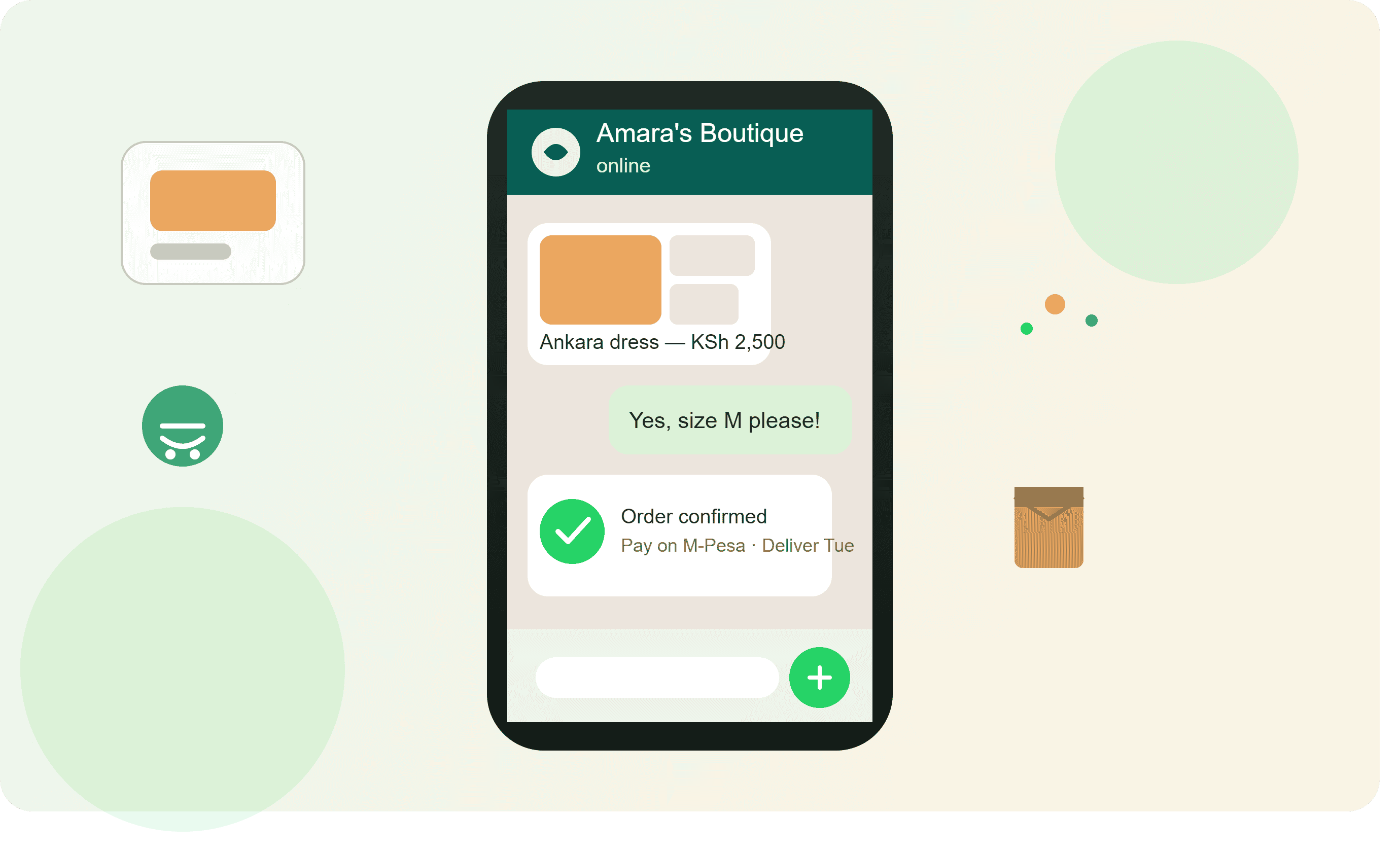
Summer Dress
KSh 2,500
Sizes: S, M, L, XL
Colours: Black, Red, Green
Step 4 — Customer Arrives
Customer sees the dress on Instagram.
They click WhatsApp.
Step 5 — Customer Asks
Is size L available?
You confirm availability.
Step 6 — Customer Orders
I want one red, size L.
Step 7 — Confirm
Red Summer Dress — KSh 2,500
Delivery to Kitengela — KSh 300
Total — KSh 2,800
Step 8 — Payment
Customer pays using your chosen payment method.
Step 9 — Verify
Payment is confirmed.
Step 10 — Delivery
The order is dispatched.
Step 11 — Follow Up
Hi Jane, your order has been delivered. Thank you for shopping with Nairobi Style Hub.
Step 12 — Retention
Two weeks later, you can share relevant new arrivals with customers who have opted to receive your business communications.
That is a complete WhatsApp sales journey.
Example: WhatsApp Store for an Electronics Business
Imagine you operate:
Kitengela Electronics
Your catalogue includes:
- Smartphones
- Laptops
- TVs
- Earphones
- Chargers
- Smart Watches
A customer sees your TikTok video.
They click WhatsApp.
They ask:
How much is the Samsung phone?
You share the product.
They ask:
Do you deliver to Athi River?
You confirm.
They place the order.
You calculate:
Phone: KSh 45,000
Delivery: KSh 500
Total: KSh 45,500
The customer pays.
You verify payment.
The order changes to:
Paid → Processing → Out for Delivery → Delivered
The customer receives the phone.
A week later, you can follow up and potentially offer relevant accessories.
This is how WhatsApp can become part of the entire sales process.
Example: WhatsApp Store for a Supermarket
A supermarket can use a WhatsApp store differently.
Customers may want:
- Milk
- Bread
- Cooking oil
- Sugar
- Cereals
- Detergents
- Personal care products
- Household products
Instead of asking customers to type every product manually, a catalogue can help them identify what is available.
For regular customers, the business can also create repeat-order workflows.
For example:
Hi Peter, it's been about four weeks since your last household shopping order. Would you like to place another order?
Relevant reminders can create repeat business without requiring the customer to start from zero every time.
How Much Does It Cost to Create a WhatsApp Store?
The cost depends on how advanced you want the store to be.
Basic Setup
You can start with:
- Smartphone
- Internet connection
- WhatsApp Business
- Product photographs
- Catalogue
- Payment method
This can be enough for a small business to test the idea.
Growing Business
You may eventually need:
- Order management
- Stock management
- Payment integration
- Automation
- Customer management
- Multiple team members
- Reports
- Advanced messaging
At that stage, a dedicated WhatsApp Commerce platform can make the operation easier to manage.
The important thing is not to buy technology simply because it looks impressive.
Buy or use tools because they solve a real business problem.
When Should You Move Beyond the Basic WhatsApp Business App?
The basic WhatsApp Business app can be enough when you're starting.
Consider a more advanced system when:
- You receive many daily enquiries.
- You have many products.
- You manage hundreds of customers.
- Several employees handle WhatsApp.
- You frequently lose track of orders.
- You manually check many payments.
- Customers complain about slow responses.
- You need automated follow-ups.
- You need stock tracking.
- You want better sales reporting.
The right time depends on the complexity and volume of your business.
7 Ways to Get More Customers to Your WhatsApp Store
1. Put WhatsApp Everywhere
Add your WhatsApp contact to your social media profiles, website, business cards and marketing materials.
2. Use WhatsApp Status Daily
Show:
- New products
- Customer reviews
- Offers
- Behind-the-scenes content
- Product demonstrations
- Frequently asked questions
3. Create Short Videos
Show customers how products work.
4. Use QR Codes
Place QR codes where customers can easily scan them.
5. Run Social Media Campaigns
Use Facebook, Instagram and TikTok to generate interest.
6. Give Existing Customers a Reason to Return
Introduce:
- New products
- Relevant offers
- Loyalty rewards
- Restock notifications
7. Make Ordering Easy
The fewer unnecessary steps, the better.
What Should You Sell Through a WhatsApp Store?
Almost any product or service that can be explained and sold through conversation can potentially benefit.
Examples include:
Physical Products
- Clothing
- Shoes
- Phones
- Electronics
- Furniture
- Beauty products
- Food
- Groceries
- Accessories
- Building materials
Services
- Salons
- Barbering
- Cleaning
- Photography
- Consulting
- Repairs
- Catering
- Training
- Events
High-Consideration Products
WhatsApp can be particularly useful when customers need to ask questions before buying.
Examples:
- Cars
- Real estate
- Furniture
- Electronics
- Business equipment
- Customized products
Common Mistakes When Creating a WhatsApp Store
Mistake 1: Adding Products Without Descriptions
A photograph alone doesn't answer every customer question.
Mistake 2: Hiding Prices
Where possible, make pricing clear.
Mistake 3: Using Poor Photos
Your product presentation matters.
Mistake 4: Ignoring Delivery
Selling is only part of the job.
Mistake 5: Not Tracking Orders
Messages are not an order management system.
Mistake 6: Not Checking Payments
Verify payments properly.
Mistake 7: Spamming Customers
Don't turn your WhatsApp store into a source of unwanted messages.
Mistake 8: Trying to Automate Everything Immediately
First understand your sales process.
Then automate the repetitive parts.
Your 7-Day WhatsApp Store Launch Plan
You can launch a basic store in one week.
Day 1 — Business Setup
Create your WhatsApp Business profile.
Day 2 — Product Preparation
Photograph your best products.
Day 3 — Catalogue
Upload your first 10–20 products.
Day 4 — Payments and Delivery
Set up your payment and delivery process.
Day 5 — Customer Messages
Prepare welcome messages and answers to common questions.
Day 6 — Marketing
Share your WhatsApp store through your social media channels and existing customers.
Day 7 — Launch
Start taking orders.
Don't wait until you have 500 products.
Start with your best-selling products.
Your First 10 Products Are More Important Than Your First 100
A common mistake is believing that an online store must have hundreds of products.
It doesn't.
Start with the products customers actually want.
Choose:
5–20 popular products
Add good photographs.
Write useful descriptions.
Set clear prices.
Make ordering easy.
Then observe what customers do.
If people keep asking for a product you don't have, consider adding it.
If a product receives no interest, investigate why.
Your customers will tell you what your store should become.
The Real Goal Is Not Just a WhatsApp Catalogue
A catalogue is a good starting point.
But your long-term goal should be a complete commerce system.
Think of the journey as:
Marketing
↓
↓
Product Discovery
↓
Conversation
↓
Order
↓
Payment
↓
Delivery
↓
Customer Support
↓
Follow-Up
↓
Repeat Purchase
When these pieces work together, WhatsApp becomes much more than a messaging application.
It becomes a sales channel.
Final Takeaway
You don't have to wait until you can afford a large e-commerce website before starting to sell online.
If you already have a smartphone, products and customers, you can start building a simple WhatsApp store today.
Start with your business profile.
Add your best products.
Take better photographs.
Create your catalogue.
Set your prices.
Decide how customers will pay.
Create your delivery process.
Track your orders.
Follow up with customers.
Then automate the repetitive work as your business grows.
For a small Kenyan business, the journey can be as simple as:
Product → WhatsApp → Conversation → Order → M-Pesa → Delivery → Follow-Up
And when your business grows, you can build a more advanced system around that journey.
The goal isn't simply to have a WhatsApp catalogue.
The goal is to create a simple, reliable and repeatable way for customers to discover, buy and come back to your business.
Ready to turn WhatsApp into your online store?