
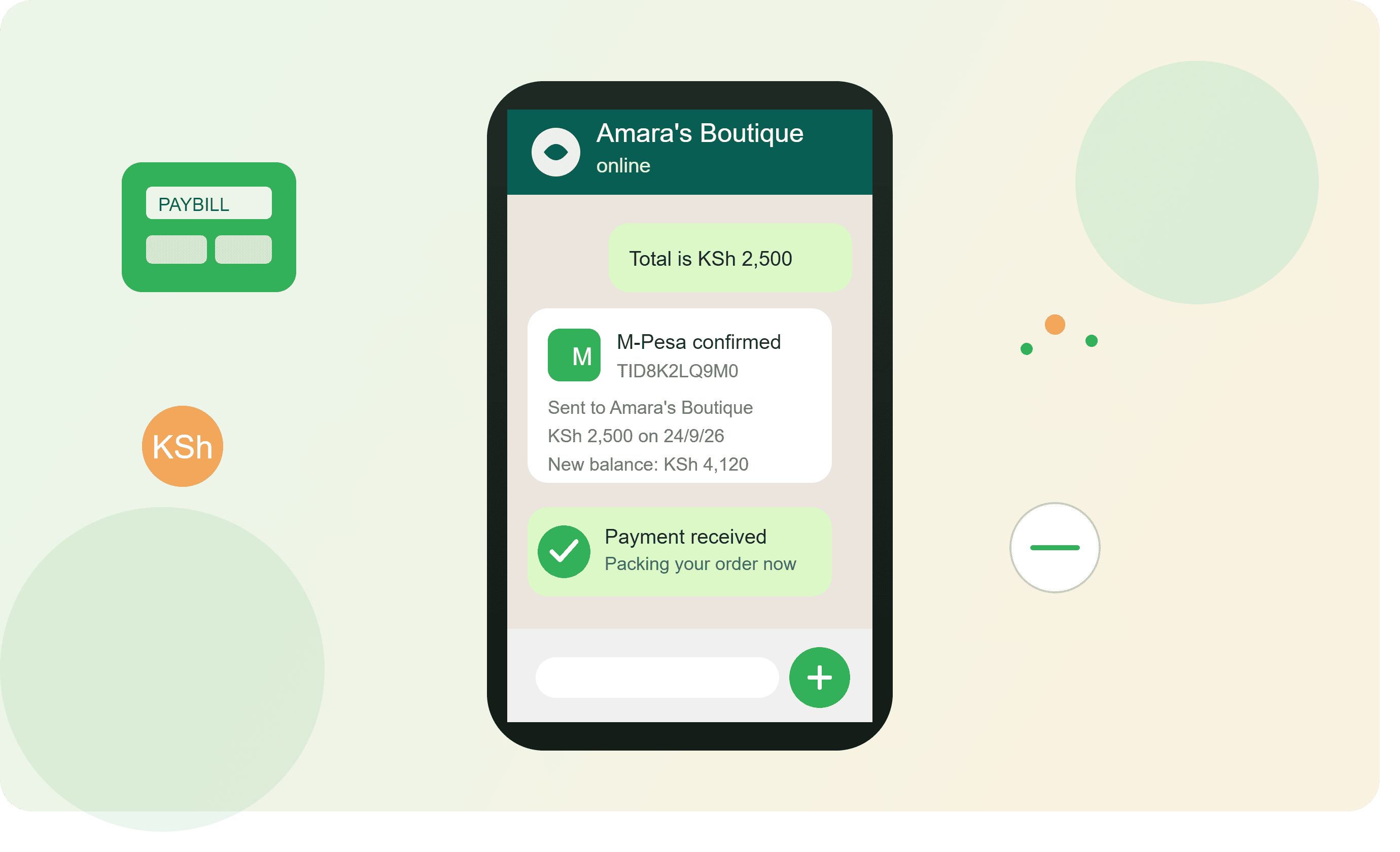
How to Accept M-Pesa Payments Through WhatsApp in Kenya
For many businesses in Kenya, WhatsApp is already where customers ask questions, request prices, choose products and place orders.
The next question is simple:
How do you get the customer to pay?
That is where M-Pesa comes in.
Instead of sending a customer to a complicated checkout page, a Kenyan business can have a simple sales journey:
Customer sees product → chats on WhatsApp → places order → receives M-Pesa payment instructions → pays → payment is confirmed → order is processed → product is delivered.
This makes WhatsApp more than just a messaging platform. It can become a practical sales and payment channel for your business.
In this guide, we will look at how to accept M-Pesa payments through WhatsApp, the difference between a Till Number and Paybill, how to confirm payments, how to handle Cash on Delivery, and how businesses can automate the process.
What Is WhatsApp Commerce?
WhatsApp commerce is the process of using WhatsApp to market products, communicate with customers, receive orders and complete sales.
For example, imagine you sell shoes in Nairobi.
A customer sees your shoe on Instagram or Facebook and clicks your WhatsApp link.
They ask:
"How much is this shoe?"
You respond:
"It is KSh 3,500. We have size 40, 41 and 42. Delivery within Nairobi is available."
The customer chooses size 41.
You collect the delivery details and send payment instructions.
The customer pays through M-Pesa.
You confirm the payment and arrange delivery.
That entire transaction can happen without the customer visiting a physical shop or going through a complicated website checkout.
Why M-Pesa Is Important for WhatsApp Businesses in Kenya
M-Pesa is already familiar to Kenyan customers.
This is important because customers are more comfortable completing a purchase when they understand how they are expected to pay.
For a WhatsApp business, the payment process should therefore be as simple as possible.
A good customer journey could look like this:
Product → WhatsApp → Order → Payment → Confirmation → Delivery
The fewer unnecessary steps you introduce, the easier it is for the customer to complete the purchase.
What Do You Need to Accept M-Pesa Through WhatsApp?
Before you start, prepare the following:
- A WhatsApp Business account
- A business phone number
- Your product catalogue
- Product prices
- An M-Pesa Till Number or Paybill
- A clear order process
- A payment confirmation process
- Delivery arrangements
- A way to record orders
- A customer follow-up process
For a small business, you can start manually.
As your orders increase, you can introduce automation.
Step 1: Set Up WhatsApp Business
If you are selling products or services professionally, use WhatsApp Business rather than treating your personal WhatsApp account as your shop.
Set up your:
- Business name
- Profile photo or logo
- Business description
- Location
- Opening hours
- Website, if you have one
- Product catalogue
Your profile should immediately tell customers what you sell.
For example:
ABC Fashion Kenya
Affordable ladies' fashion in Nairobi. Dresses, handbags, shoes and accessories. Delivery available within Nairobi and selected towns.
A customer should not have to ask:
"What do you sell?"
Your profile should answer that question.
Step 2: Add Your Products
A customer cannot order what they cannot see.
Add your products to your WhatsApp catalogue or your WhatsApp commerce platform.
Each product should have:
- Product name
- Clear photograph
- Price
- Short description
- Available sizes
- Available colours
- Stock information where applicable
- Delivery information
For example:
Ladies' Official Dress
Price: KSh 2,500
Sizes: 8, 10, 12, 14
Colours: Black, Navy Blue, Maroon
Delivery: Nairobi and selected towns
Order: Send us a WhatsApp message.
Good product information reduces unnecessary questions and helps customers make decisions faster.
Step 3: Make It Easy for Customers to Contact You
Do not simply tell customers:
"Contact us on WhatsApp."
Give them a direct way to start a conversation.
You can place your WhatsApp link on:
- TikTok
- Your website
- Google Business Profile
- Email signatures
- Posters
- Business cards
- Receipts
- SMS campaigns
- Product packaging
- Social media advertisements
The goal is to move interested customers from wherever they discover your business into WhatsApp.
Step 4: Let the Customer Choose the Product
Once the customer enters WhatsApp, make the conversation simple.
For example:
Customer: Hi, I want the black handbag.
Business: Thank you. The black handbag is KSh 2,800. We have it available. Please confirm your name, location and phone number for delivery.
Customer: Jane Wanjiku. Kitengela. 07XXXXXXXX.
Business: Thank you, Jane. Delivery to Kitengela is KSh 300. Your total is KSh 3,100.
Customer: How do I pay?
Now you have reached the payment stage.
Step 5: Send Clear M-Pesa Payment Instructions
This is where many businesses make the process unnecessarily complicated.
Do not send a long paragraph that leaves the customer wondering what to do.
Give clear instructions.
For example:
Payment Details
Pay KSh 3,100 via M-Pesa.
Till Number: 123456
After payment, please send your M-Pesa confirmation message here.
Thank you.
The customer knows:
- How much to pay
- Where to pay
- What to do after paying
That is what a good payment instruction should achieve.
Till Number vs Paybill: Which One Should You Use?
This is one of the most important questions for Kenyan WhatsApp businesses.
A Till Number and a Paybill are different payment options, and the appropriate choice depends on how your business operates.
A Till is commonly associated with receiving payments for goods and services.
A Paybill is commonly used where customers pay an organisation or business using an account/reference number.
For a business selling directly through WhatsApp, the important thing is not simply having an M-Pesa number.
The important thing is creating a payment process that connects the payment to the correct order.
For example:
Order #1045
Product: Sneakers
Price: KSh 4,500
Delivery: KSh 300
Total: KSh 4,800
Payment instruction:
Pay KSh 4,800 to our M-Pesa payment channel.
Customer pays.
Payment is confirmed.
Order #1045 moves to processing.
That is much easier to manage than receiving money without knowing which customer or order it belongs to.
Step 6: Confirm the M-Pesa Payment
This is extremely important.
Do not dispatch an order simply because a customer says, "I have paid."
A customer may genuinely have paid but the payment may not yet be reflected in your records.
There may also be cases where someone sends an incorrect or misleading payment message.
Your business should have a proper payment confirmation process.
For small businesses, this can initially be manual.
The customer sends the M-Pesa confirmation message through WhatsApp.
You verify the transaction.
You mark the order as paid.
Then you process the order.
Step 7: Create an Order Number
Give every order a unique reference.
For example:
Order #WA-1001
This makes it easier to connect:
Customer + Product + Payment + Delivery
For example:
OrderCustomerProductAmountPaymentStatusWA-1001JaneHandbagKSh 3,100PaidProcessingWA-1002PeterSneakersKSh 4,800PendingAwaiting paymentWA-1003MaryDressKSh 2,500PaidDelivered
Even a simple order system can make a big difference.
Step 8: Separate Paid and Unpaid Orders
One of the easiest ways to lose control of WhatsApp orders is mixing paid and unpaid orders.
Create clear statuses such as:
- New Order
- Awaiting Payment
- Payment Received
- Processing
- Ready for Delivery
- Out for Delivery
- Delivered
- Cancelled
This gives your team a clear picture of what needs attention.
Step 9: Handle Cash on Delivery
Not every customer wants to pay before receiving the product.
Depending on your business model and delivery arrangements, you may also offer Cash on Delivery (COD).
For example:
Payment options:
- M-Pesa Till
- Paybill
- Payment link
- Cash on Delivery
However, COD comes with additional risk.
A customer may place an order and later refuse to receive it.
This is why businesses should have clear COD rules.
For example:
COD is available within selected delivery areas. Orders above a certain value may require a deposit before dispatch.
Your policy should be clear before the order is sent out.
Step 10: Add Delivery Charges to the Order
Do not surprise the customer with delivery charges after payment.
Tell the customer the complete amount before requesting payment.
For example:
Product: KSh 2,500
Delivery: KSh 300
Total: KSh 2,800
Then request KSh 2,800.
This creates a much better customer experience.
Step 11: Send Payment Confirmation
Once payment has been verified, let the customer know.
For example:
Payment received. Thank you, Jane. Your order #WA-1001 has been confirmed and is now being processed.
This simple message gives the customer confidence.
They know their money has been received and their order is moving forward.
Step 12: Send Delivery Updates
Do not disappear after receiving payment.
Keep the customer informed.
You can send messages such as:
Order confirmed
Your payment has been received and your order is being prepared.
Order dispatched
Your order has been handed over to our delivery team.
Out for delivery
Your order is on the way. Our rider will contact you shortly.
Delivered
Your order has been delivered. Thank you for shopping with us.
Good communication can turn a first-time customer into a repeat customer.
Can M-Pesa Payments Be Automated?
Yes, businesses can move beyond manual payment handling as they grow.
Instead of relying entirely on staff to check every transaction and update every order, businesses can build or use systems that connect payment processing with order management.
A more advanced workflow can look like:
Customer places order
↓
System creates order
↓
Customer receives payment instructions
↓
Customer makes payment
↓
Payment is received through the configured payment channel
↓
Payment is matched with the order
↓
Order status changes
↓
Customer receives confirmation
↓
Business prepares delivery
This is where automation becomes valuable.
Why Payment Automation Matters
Imagine your business receives 5 WhatsApp orders a day.
Manual payment confirmation may still be manageable.
Now imagine receiving:
- 30 orders a day
- 50 orders a day
- 100 orders a day
Checking every payment manually becomes time-consuming.
The bigger problem is not only the amount of work.
It is the possibility of human error.
Someone may:
- Forget to confirm a payment
- Mark the wrong order as paid
- Miss an order
- Dispatch an unpaid order
- Forget to update the customer
- Record the wrong amount
Automation can reduce repetitive work and improve order visibility.
What Should a WhatsApp Payment System Automate?
A good WhatsApp commerce system should help with repetitive tasks around the order journey.
For example:
1. Order creation
Customer places an order.
2. Payment request
Customer receives the amount and payment instructions.
3. Payment status
The system records whether payment is pending or confirmed.
4. Order status
The order moves from pending to processing.
5. Customer notification
The customer receives a confirmation.
6. Delivery updates
The customer receives relevant updates.
7. Follow-up
After delivery, the business can ask whether the customer received the product successfully.
How to Sell Products Through WhatsApp and M-Pesa
A practical sales process for a Kenyan business could look like this:
Step 1
Advertise your product on social media.
Step 2
Customer clicks your WhatsApp link.
Step 3
Customer views the product.
Step 4
Customer asks questions.
Step 5
Customer selects the product.
Step 6
Business calculates the total.
Step 7
Customer receives M-Pesa payment instructions.
Step 8
Customer pays.
Step 9
Payment is confirmed.
Step 10
Order is processed.
Step 11
Product is delivered.
Step 12
Customer receives a follow-up message.
This is the basic WhatsApp commerce funnel.
Example: Fashion Business
Imagine a fashion business in Nairobi selling dresses.
A customer sees an Instagram post.
The caption says:
New arrivals available. Order through WhatsApp.
The customer clicks WhatsApp.
They select a dress worth KSh 3,000.
Delivery costs KSh 300.
The business sends:
Order Total: KSh 3,300
Payment: M-Pesa
The customer pays.
The payment is confirmed.
The business processes the order.
The customer receives the dress.
A few days later, the business sends:
Hi Jane, we hope you loved your dress. We have new arrivals this week. Would you like us to send you the latest collection?
Now the same customer can generate another sale.
That is where WhatsApp becomes more powerful than a simple payment channel.
Example: Electronics Business
Suppose you sell phones and accessories.
A customer asks:
"How much is the Bluetooth speaker?"
You respond:
Bluetooth Speaker – KSh 2,500
Delivery to Nairobi – KSh 300
Total – KSh 2,800
Payment can be made through your M-Pesa payment channel.
Once payment is confirmed, the order moves to processing.
For higher-value products such as phones, laptops and televisions, you can also provide additional information such as:
- Warranty
- Delivery options
- Product specifications
- Return policy
- Available stock
- Payment options
This helps the customer make an informed purchase.
Example: Supermarket or Grocery Business
WhatsApp can also work for everyday products.
A customer sends:
I need 2kg rice, 1kg sugar, milk and cooking oil.
The business calculates the order.
Rice: KSh 300
Sugar: KSh 160
Milk: KSh 120
Cooking oil: KSh 350
Delivery: KSh 200
Total: KSh 1,130
The customer pays through M-Pesa.
The supermarket confirms payment and prepares the order.
The rider delivers it.
This model can work particularly well for businesses serving customers within a defined delivery area.
What About Payment Links?
Payment links can make the payment process easier in some situations.
Instead of asking the customer to manually enter payment details, the business can provide a payment option connected to the order.
The customer can then complete payment through the available payment method.
For businesses selling through WhatsApp, payment links can be useful when you want to reduce the number of steps between:
"I want this product"
and
"I have paid."
The exact payment options available will depend on the payment provider and the integration being used.
How MyWhatsApp Can Help
For a business handling a few WhatsApp orders, manually managing payments may be enough.
But once orders start increasing, you need more than WhatsApp conversations.
You need a proper system for managing:
- Products
- Customers
- Orders
- Payments
- Stock
- Delivery
- Follow-ups
- Team members
- Automation
MyWhatsApp is designed around this WhatsApp-first business journey.
Instead of treating WhatsApp, your product catalogue and orders as separate activities, you can bring the sales process into one system.
For businesses using M-Pesa, the goal is simple:
Make it easier for the customer to order and easier for the business to manage the sale.
Common M-Pesa and WhatsApp Mistakes
1. Sending payment instructions too early
Do not request payment before confirming what the customer wants.
First confirm:
- Product
- Quantity
- Size
- Colour
- Delivery location
- Delivery fee
- Total amount
Then request payment.
2. Not confirming payment
Never assume that every payment message sent by a customer means the transaction has been successfully received.
Have a proper verification process.
3. Not giving customers an order reference
An order number makes it much easier to track sales.
4. Mixing personal and business money
Use a business payment channel where appropriate and maintain proper business records.
5. Forgetting delivery charges
Always tell customers the complete cost before payment.
6. Keeping everything in WhatsApp chats
WhatsApp conversations are useful, but they are not a complete order management system.
As your business grows, use proper order records.
7. Not following up
The sale should not end when the customer pays.
Follow up after delivery.
Ask whether they received the product successfully.
Then, where appropriate, introduce relevant products or offers later.
How to Make Your WhatsApp Payment Process Look Professional
Your payment process should be simple enough for someone who has never purchased from you before.
Use a consistent format.
For example:
ORDER #WA-1045
Product: Ladies' Dress
Size: 12
Colour: Black
Product: KSh 2,500
Delivery: KSh 300
TOTAL: KSh 2,800
Payment Method: M-Pesa
Once payment is completed, please send your confirmation here.
Thank you for shopping with us.
A consistent format reduces confusion for both the customer and your staff.
A Simple WhatsApp + M-Pesa Sales Workflow
Here is a workflow you can start using today:
1. Customer discovers product
↓
2. Customer clicks WhatsApp
↓
3. Customer asks questions
↓
4. Customer selects product
↓
5. Business creates order
↓
6. Business calculates total
↓
7. Customer receives M-Pesa instructions
↓
8. Customer pays
↓
9. Payment is verified
↓
10. Order is marked as paid
↓
11. Product is prepared
↓
12. Customer receives delivery update
↓
13. Product is delivered
↓
14. Customer receives follow-up
This is a simple but powerful foundation for WhatsApp commerce.
When Should You Automate M-Pesa Payments?
You do not need sophisticated automation on your first day.
Start with a simple process.
But consider automation when:
- You receive many orders every day
- Several employees handle WhatsApp
- You are losing track of payments
- Customers wait too long for confirmation
- You have many unpaid orders
- You have multiple payment channels
- You need better sales reports
- You are selling across several towns
- You want to scale beyond manual WhatsApp selling
The purpose of automation is not to make your business complicated.
It is to remove repetitive work.
Final Thoughts
For Kenyan businesses, combining WhatsApp with M-Pesa creates a very practical way to sell online.
You do not necessarily need to begin with a large e-commerce website.
You can start with:
WhatsApp Business + Product Catalogue + M-Pesa + Order Management + Delivery
Then add automation as your business grows.
The important thing is to build a proper process around the sale.
A customer should be able to move smoothly from:
"How much is this?"
to:
"I have paid."
and finally:
"My order has been delivered."
That is the real opportunity behind WhatsApp commerce in Kenya.
If you are ready to move beyond manually managing WhatsApp orders, payments and customers, you can explore MyWhatsApp and build a more organised WhatsApp sales operation.